Add about.me to your Facebook Page
-
Sign in to your Facebook account.
-
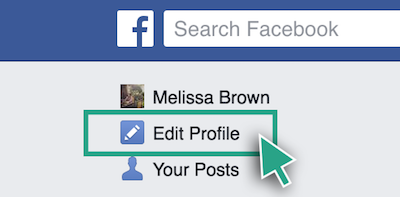
From your home page, click “Edit Profile” on the left.
-
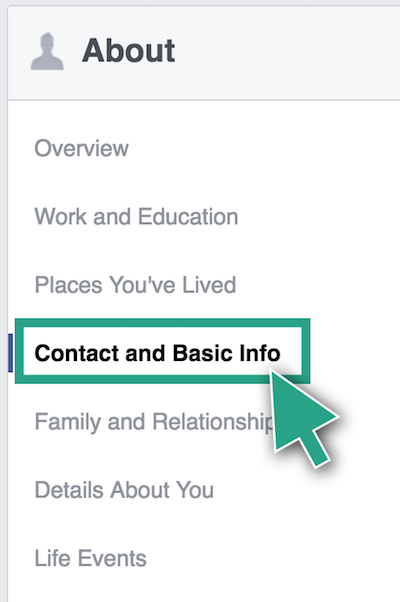
Click "Contact and Basic Info."
-
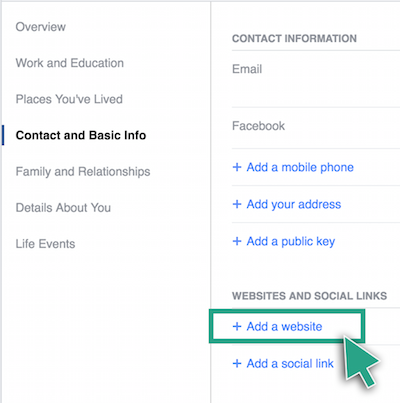
Click “+ Add a website.”
-
Copy and paste your about.me URL into the box and make sure the website is Public by clicking on the arrow to the left of “Save Changes.”

-
Click “Save Changes.”