How do I change the email address associated with my account?
To change your email address:
-
Log in to your about.me page using your username and password.
*Remember your username is your permanent about.me domain (about.me/username)
-
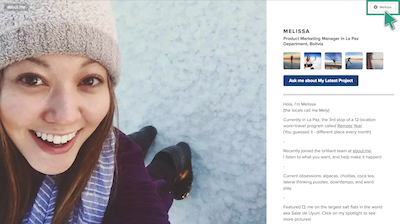
Click the top right button to open your Edit Panel
-
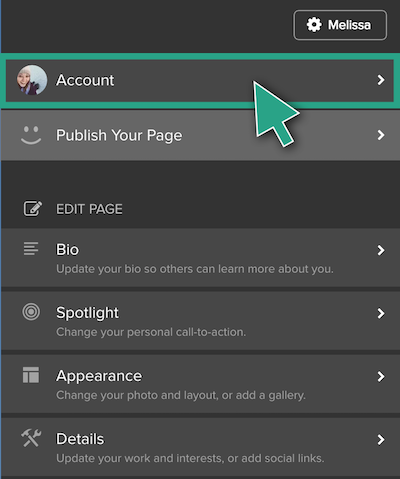
Click Account
-
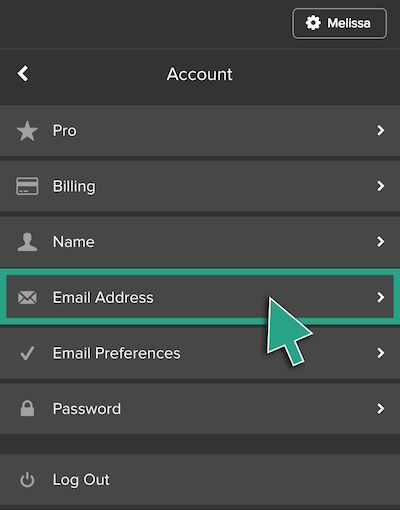
Click Email Address
-
Enter the email address you wish to have associated with your account. Don’t forget to save!